AI Insights
Pro FeatureAI insights is a short briefing on what changed on your website. It compares the period of your dashboard with its comparison period, names the changes that matter and leaves out the ups and downs that are normal from day to day. Every finding comes with its numbers and a next step.
Open it under Domains → your site → AI insights. AI insights in the main sidebar opens the AI insights of your first website.
AI insights are available on Pro, Scale and Enterprise. On the Free plan, the tab shows what it offers and an upgrade button.
Period and comparison
AI insights use the same period and comparison as the chart on the Analytics tab, so the numbers match the metric tiles there. Change the period at the top of the tab; the comparison follows the chart's Compare to setting. A period that is still running is compared with the same elapsed time of the comparison period.
Dashboard filters and a saved segment apply too; they are shown at the top of the tab.
- For ranges longer than 90 days, the last 90 days are compared, and a note says so.
- When the comparison period only holds imported history, which has no comparable breakdowns, a note says so.
- With fewer than 50 visits in both periods, a note says that changes are not reliable yet.
Summary
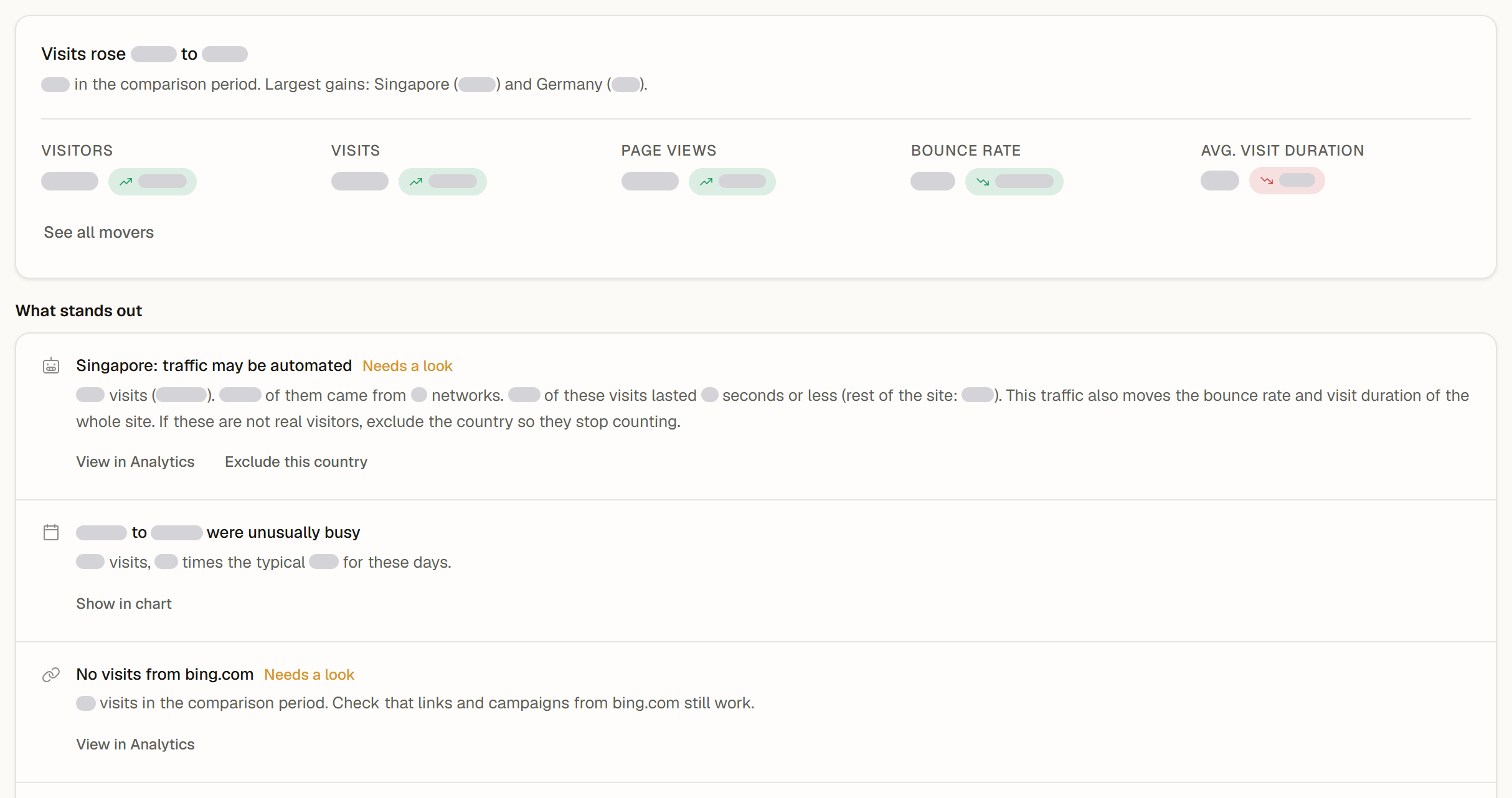
The top of the tab sums up the period in one sentence with numbers, for example: Visits rose 24% to 3,120. 2,516 in the comparison period. Largest gains: Germany (+310) and Newsletter (+180). Below it, the five key metrics (Visitors, Visits, Page views, Bounce rate and Avg. visit duration) show their change, like the tiles on the Analytics tab, including the ≈ sign for estimates. See all movers opens Top movers with every change.
What stands out
What stands out lists up to five findings, the most important first. Each one names what changed, with its numbers. Findings that deserve attention are marked Needs a look. Possible findings:
| Finding | What it tells you | Next step |
|---|---|---|
| Traffic may be automated | A country or a referrer brought many more visits, most of them from very few networks and with very short visits. Nothing is excluded automatically; the finding shows the evidence. | View in Analytics filters the dashboard by it. For a country, Exclude this country opens the exclusions in the site settings (editors and admins). |
| Unusually busy or quiet days | A day or a run of days with far more or far fewer visits than a typical day of the same weekday | Show in chart shows those days on the Analytics chart |
| Bounce rate or visit duration changed | The bounce rate moved by several percentage points, or visits got longer or shorter | Compare entry pages opens Top movers with the entry pages |
| New source or No visits from a source | A referrer that brought visits for the first time, or one that sent none in this period | View in Analytics filters the dashboard by that source |
| Largest gain and largest drop | The country, channel, referrer, device, entry page or page with the biggest change that is not named yet | View in Analytics filters the dashboard by it |
When nothing changed beyond normal variation, the tab says No notable changes beyond normal variation.
Ask about this
Ask about this next to a finding opens the AI assistant (Ask AI) in a new chat, with the facts of the finding already in the message box, for example the numbers, the website and the two periods. Nothing is sent until you press send, and sending counts against your assistant quota like any other question. Ask about this appears where the assistant is available: in your team's dashboard, not on shared dashboards or in the client portal.
How AI insights are calculated
AI insights are calculated automatically from your analytics: visits per channel, referrer, country, device and entry page, page views per page, and the daily visits of the period. A change counts only when it is larger than what normal day-to-day variation would explain. The info icon at the top of the tab says the same.
Visits count each visit once, like the Visits tile. The Sources and Locations cards of the Analytics tab count visitors, so their numbers can differ slightly.
Messages you may see
- No visits in this period yet: once visitors arrive, the tab shows what changed.
- This range is too large to analyse: try a shorter range.
- AI insights could not be loaded: try again in a moment.
Shared dashboards
On a public shared dashboard, AI insights show the summary and the findings when the team that shared it is on Pro or above. Next steps and Ask about this stay in your team's dashboard.
Related
- Top movers: every source, page, country and device that changed
- Main Chart: period, comparison and the five metrics
- Insight View: explore several metrics in one chart and save the view
On this page