Configuración de Proxy de Primera Parte
Sirve el seguimiento de Zenovay a través de tu propio dominio para evitar la protección de seguimiento del navegador y los bloqueadores de anuncios.
Un proxy de primera parte enruta el seguimiento a través de TU dominio, por lo que los navegadores lo ven como de primera parte y lo permiten. Esto puede recuperar 15-30% más visitantes.
¿Por Qué Usar un Proxy de Primera Parte?
Los navegadores modernos bloquean scripts de seguimiento de terceros. Aquí hay lo que cada navegador bloquea:
| Navegador | Protección | ¿Bloquea api.zenovay.com? |
|---|---|---|
| Firefox | Protección de Seguimiento Mejorada (ETP) | Sí |
| Brave | Shields | Sí |
| Edge | Prevención de Seguimiento | Sí |
| Opera | Bloqueador Integrado | Sí |
| Safari | Prevención Inteligente de Seguimiento (ITP) | Parcial |
| Chrome | Limitado (por ahora) | Algunas extensiones |
Cómo Funciona
Sin proxy (bloqueado):
Browser → api.zenovay.com ❌ (Terceros = bloqueado por navegadores)

Con proxy (funciona):
Browser → yourdomain.com/api/_z/* ✅ (Primera parte = permitido)
     ↓
Your Server → api.zenovay.com/fp/* (Servidor a servidor = siempre funciona)
El navegador solo ve solicitudes a TU dominio, por lo que la protección de seguimiento no se aplica.
Entendiendo Same-Origin (¡Crítico!)
Este es el concepto más importante de entender.
No todos los enfoques de "primera parte" son iguales. Hay una diferencia crítica entre proxy del mismo dominio y subdominio personalizado.
Los Dos Enfoques
| Enfoque | Ejemplo | Firefox ETP | Por Qué |
|---|---|---|---|
| Proxy del mismo dominio | /api/_z/script.js | ✅ FUNCIONA | Mismo origen |
| Subdominio personalizado | z.yourdomain.com | ❌ BLOQUEADO | Diferente origen |
¿Qué es "Same Origin"?
Los navegadores definen "mismo origen" como: mismo protocolo + mismo dominio + mismo puerto
https://yourdomain.com (tu sitio)

❌ https://z.yourdomain.com    → Diferente origen (subdominio diferente)
❌ https://api.yourdomain.com  → Diferente origen (subdominio diferente)
✅ https://yourdomain.com/api/ → MISMO origen (solo una ruta)
Por Qué los Subdominios No Funcionan para Firefox
Aunque z.yourdomain.com se ve "de primera parte", Firefox ETP lo trata como de terceros porque:
- Verificación de origen:
z.yourdomain.com≠yourdomain.com - Solicitud entre orígenes: El navegador hace una solicitud a un origen diferente
- ETP bloquea: Firefox bloquea solicitudes de seguimiento entre orígenes
Por Qué el Proxy del Mismo Dominio Funciona
Con /api/_z/script.js:
- Verificación de origen:
yourdomain.com/api/_z/=yourdomain.com✅ - Solicitud del mismo origen: El navegador hace una solicitud de primera parte
- ETP permite: Firefox permite solicitudes del mismo origen
- El servidor proxifica: Tu servidor reenvía a Zenovay (el navegador nunca lo ve)
Conclusión: Si necesitas compatibilidad con Firefox, utiliza el enfoque de proxy del mismo dominio (Vercel, Netlify, Next.js, Cloudflare Pages, nginx, Apache, Astro).
El enfoque de subdominio personalizado de Cloudflare Workers (z.yourdomain.com) NO evita Firefox ETP - solo evita algunos bloqueadores de anuncios.
Elige Tu Plataforma
Selecciona tu plataforma de alojamiento para comenzar con una guía detallada paso a paso:
Next.js
Usa rewrites de next.config.js. La opción más simple para proyectos Next.js.
Cloudflare Workers
Perfecto para usuarios de alojamiento compartido. Crea un Worker gratuito en 5 minutos.
Cloudflare Pages
Usa Pages Functions si ya estás alojando en Cloudflare Pages.
Vercel
Usa rewrites de vercel.json o Edge Middleware. Compatible con cualquier framework.
Netlify
Archivo _redirects simple o configuración netlify.toml.
nginx / Apache
Servidores autohospedados usando configuración de proxy inverso.
Astro
Rutas API para proyectos Astro con SSR habilitado.
Referencia Rápida
| Tu Configuración | Mejor Opción | Guía |
|---|---|---|
| Proyecto Next.js | Rewrites de next.config.js | Guía Next.js |
| Vercel (cualquier framework) | Rewrites de vercel.json | Guía Vercel |
| Netlify | Archivo _redirects | Guía Netlify |
| Cloudflare Pages | Pages Functions | Guía CF Pages |
| Cloudflare (general) | Cloudflare Workers | Guía CF Workers |
| Servidor autohospedado | Proxy nginx/Apache | Guía nginx/Apache |
| Astro | Rutas API | Guía Astro |
| Alojamiento compartido (Hostinger, GoDaddy, etc.) | Cloudflare Workers (gratuito) | Guía CF Workers |
¿Utilizas alojamiento compartido (Hostinger, GoDaddy, Bluehost)?
Estas plataformas no admiten proxificación del lado del servidor. Crea una cuenta gratuita de Cloudflare y utiliza Cloudflare Workers en su lugar. Toma 5 minutos y funciona perfectamente.
Después de la Configuración: Actualiza Tu Script
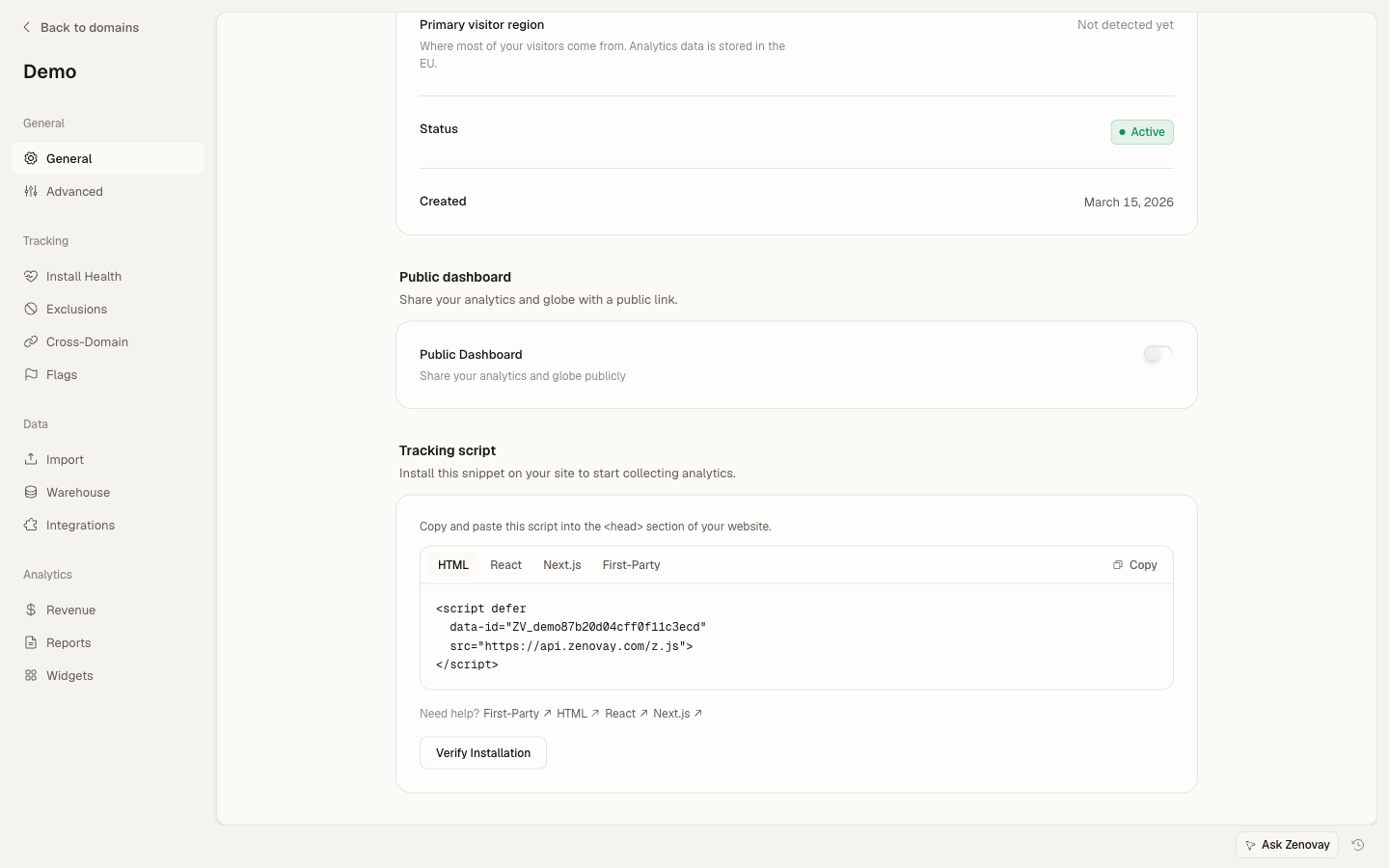
Una vez que hayas configurado el proxy, actualiza tu script de seguimiento. Puedes encontrar el fragmento de Primera Parte en la configuración de tu dominio: abre Dominios, haz clic en tu sitio, luego ve a la página General y selecciona la pestaña Primera Parte en la tarjeta de script de seguimiento.
<script defer
data-tracking-code="YOUR_TRACKING_CODE"
src="https://api.zenovay.com/z.js">
</script><script defer
data-tracking-code="YOUR_TRACKING_CODE"
src="/api/_z/script.js">
</script>IMPORTANTE: Limitación de Cloudflare Workers
El enfoque de Cloudflare Workers (z.yourdomain.com) NO evita Firefox ETP porque los subdominios siguen siendo orígenes diferentes.
Para compatibilidad con Firefox, utiliza una de estas opciones de proxy del mismo dominio en su lugar:
Verifica Que Funciona
Después de configurar, verifica que el proxy está funcionando:
1. Comprueba la Pestaña de Red
- Abre DevTools (F12 o Cmd+Option+I)
- Ve a la pestaña Network
- Recarga tu página
- Busca
/api/_z/script.js(o tu ruta de dominio personalizado) - Debe mostrar estado 200 desde TU dominio
2. Prueba en Firefox (Más Estricto)
Firefox tiene la protección de seguimiento más estricta:
- Abre Firefox
- Settings → Privacy & Security → Enhanced Tracking Protection: Strict
- Visita tu sitio web
- Verifica que el script se carga correctamente
Si funciona en modo estricto de Firefox, funciona en todas partes.
Referencia de Puntos Finales de API
Tu proxy debe reenviar estas rutas:
| Tu Ruta | API de Zenovay | Propósito |
|---|---|---|
/api/_z/script.js | /fp/script.js | Script de seguimiento |
/api/_z/e/:code | /fp/e/:code | Eventos de vista de página |
/api/_z/settings/:code | /fp/settings/:code | Configuración del sitio web |
/api/_z/load | /fp/load | Cargador dinámico |
Solución de Problemas
¿Tienes problemas? Comprueba estos problemas comunes:
- El script devuelve 404 - Verifica la configuración de tu ruta proxy
- Errores CORS - Asegúrate de que tu proxy agregue encabezados CORS
- Geolocalización incorrecta - Reenvía la IP del cliente con el encabezado
X-Zenovay-Real-IP - Aún bloqueado - Asegúrate de estar usando la ruta proxificada, no la URL directa
Para solución de problemas detallada, consulta la guía específica de cada plataforma o la página general de solución de problemas.
Próximos Pasos
- Eventos Personalizados - Rastrea clics de botones y envíos de formularios
- Identificación de Visitantes - Conecta análisis a cuentas de usuario
- Solución de Problemas - Problemas comunes y soluciones