Ejemplo de Integración con Angular
Esta guía proporciona un ejemplo completo y listo para producción de integración de análisis de Zenovay en una aplicación Angular usando patrones modernos de Angular, servicios e inyección de dependencias.
Inicio Rápido
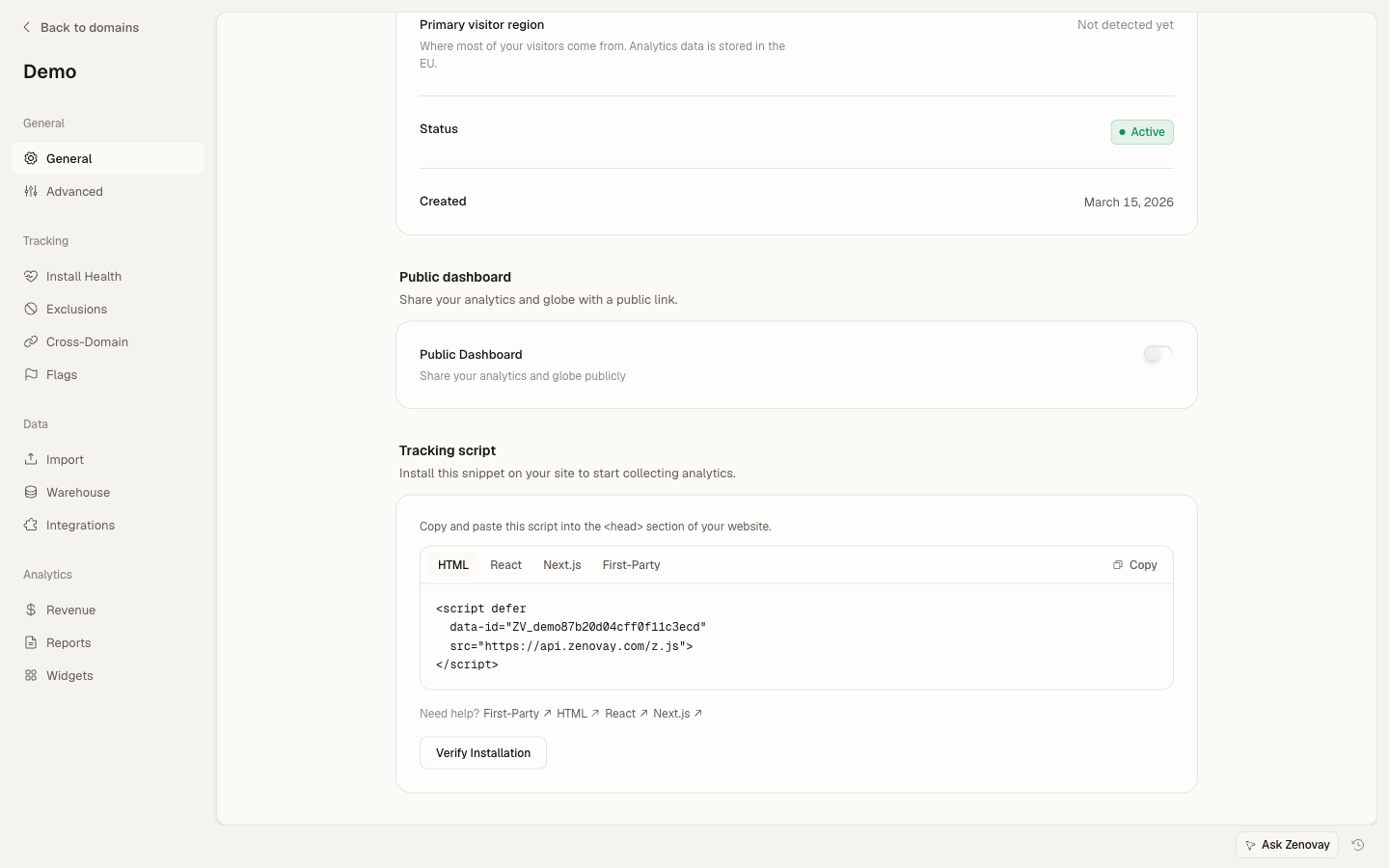
Añade el script de seguimiento de Zenovay a tu index.html:
<!-- src/index.html -->
<!doctype html>
<html lang="en">
<head>
  <meta charset="utf-8">
  <title>My Angular App</title>
</head>
<body>
  <app-root></app-root>
  <script defer data-tracking-code="YOUR_TRACKING_CODE" src="https://api.zenovay.com/z.js"></script>
</body>
</html>
Eso es todo para el seguimiento básico de vistas de página. El script rastrea automáticamente las vistas de página al cargar.
Configuración Básica
1. Crear un Servicio de Análisis
Crea un servicio para envolver el objeto global zenovay con inyección de dependencias de Angular:
// services/analytics.service.ts
import { Injectable } from '@angular/core';

@Injectable({
  providedIn: 'root'
})
export class AnalyticsService {
  private get zenovay(): any {
    return (window as any).zenovay;
  }

  track(eventName: string, data?: Record<string, any>): void {
    if (this.zenovay) {
      this.zenovay('track', eventName, data);
    }
  }

  identify(userId: string, traits?: Record<string, any>): void {
    if (this.zenovay) {
      this.zenovay('identify', userId, traits);
    }
  }

  trackGoal(goalName: string, data?: Record<string, any>): void {
    if (this.zenovay) {
      this.zenovay('goal', goalName, data);
    }
  }

  trackPurchase(data: { amount: number; currency: string; product: string }): void {
    if (this.zenovay) {
      this.zenovay('revenue', data.amount, data.currency);
    }
  }
}
2. Rastrear Vistas de Página (Angular Router)
Crea un servicio para rastrear cambios de ruta:
// services/page-tracking.service.ts
import { Injectable } from '@angular/core';
import { Router, NavigationEnd } from '@angular/router';
import { AnalyticsService } from './analytics.service';
import { filter } from 'rxjs/operators';

@Injectable({
  providedIn: 'root'
})
export class PageTrackingService {
  constructor(
    private router: Router,
    private analytics: AnalyticsService
  ) {
    this.initPageTracking();
  }

  private initPageTracking(): void {
    this.router.events.pipe(
      filter(event => event instanceof NavigationEnd)
    ).subscribe((event: NavigationEnd) => {
      this.analytics.track('pageview', {
        path: event.urlAfterRedirects,
        referrer: document.referrer,
        title: document.title,
      });
    });
  }
}
Inicializa en tu componente de aplicación:
// app.component.ts
import { Component, OnInit } from '@angular/core';
import { PageTrackingService } from './services/page-tracking.service';

@Component({
  selector: 'app-root',
  template: '<router-outlet></router-outlet>',
})
export class AppComponent implements OnInit {
  constructor(private pageTracking: PageTrackingService) {}

  ngOnInit(): void {
    // Service automatically starts tracking on init
  }
}
3. Rastrear Eventos Personalizados
Usa el servicio de análisis en tus componentes:
// components/signup-button/signup-button.component.ts
import { Component } from '@angular/core';
import { AnalyticsService } from '../../services/analytics.service';

@Component({
  selector: 'app-signup-button',
  template: `
    <button (click)="handleSignup()">
      Start Free Trial
    </button>
  `
})
export class SignupButtonComponent {
  constructor(private analytics: AnalyticsService) {}

  handleSignup(): void {
    this.analytics.track('signup_started', {
      plan: 'professional',
      source: 'pricing_page'
    });

    // Continue with signup logic
  }
}
Ejemplo Completo
Aquí hay una implementación completa con todos los casos de uso comunes:
Servicio de Análisis con Configuración
// services/zenovay-analytics.service.ts
import { Injectable } from '@angular/core';
import { environment } from '../environments/environment';

@Injectable({
  providedIn: 'root'
})
export class ZenovayAnalyticsService {
  private get zenovay(): any {
    return (window as any).zenovay;
  }

  // Page tracking
  trackPageView(path: string, title?: string): void {
    if (this.zenovay) {
      this.zenovay('track', 'pageview', {
        path,
        title: title || document.title,
        referrer: document.referrer,
      });
    }
  }

  // Custom events
  trackEvent(eventName: string, data?: Record<string, any>): void {
    if (this.zenovay) {
      this.zenovay('track', eventName, {
        ...data,
        timestamp: new Date().toISOString(),
        environment: environment.production ? 'production' : 'development',
      });
    }
  }

  // User identification
  identifyUser(userId: string, traits?: Record<string, any>): void {
    if (this.zenovay) {
      this.zenovay('identify', userId, traits);
    }
  }

  // Debug mode
  enableDebug(): void {
    if (!environment.production) {
      console.log('[Zenovay] Debug mode enabled');
    }
  }
}
Directiva de Botón Rastreable
// directives/trackable-button.directive.ts
import { Directive, HostListener, Input } from '@angular/core';
import { AnalyticsService } from '../services/analytics.service';

@Directive({
  selector: '[appTrackableButton]',
  standalone: true
})
export class TrackableButtonDirective {
  @Input() eventName!: string;
  @Input() eventData?: Record<string, any>;

  constructor(private analytics: AnalyticsService) {}

  @HostListener('click', ['$event'])
  onClick(event: MouseEvent): void {
    if (!this.eventName) {
      console.warn('[TrackableButton] No event name provided');
      return;
    }

    this.analytics.track(this.eventName, {
      ...this.eventData,
      button_text: (event.target as HTMLElement).textContent,
      timestamp: Date.now(),
    });
  }
}
Ejemplo de Uso
// pages/pricing/pricing.component.ts
import { Component } from '@angular/core';
import { CommonModule } from '@angular/common';
import { TrackableButtonDirective } from '../../directives/trackable-button.directive';

@Component({
  selector: 'app-pricing',
  standalone: true,
  imports: [CommonModule, TrackableButtonDirective],
  template: `
    <div class="pricing-page">
      <h1>Pricing</h1>

      <button
        appTrackableButton
        [eventName]="'plan_selected'"
        [eventData]="{
          plan: 'scale',
          billing: 'monthly',
          price: 90
        }"
        class="btn-primary">
        Choose Scale
      </button>
    </div>
  `
})
export class PricingComponent {}
Patrones Avanzados
Rastreo Condicional
Rastrea eventos solo cuando se cumplen ciertas condiciones:
// pages/product/product.component.ts
import { Component, OnInit, Input } from '@angular/core';
import { AnalyticsService } from '../../services/analytics.service';

interface Product {
  id: string;
  name: string;
  price: number;
  category: string;
}

@Component({
  selector: 'app-product',
  template: `<div>{{ product.name }}</div>`
})
export class ProductComponent implements OnInit {
  @Input() product!: Product;

  constructor(private analytics: AnalyticsService) {}

  ngOnInit(): void {
    // Only track if product is high-value
    if (this.product.price > 1000) {
      this.analytics.track('high_value_product_viewed', {
        product_id: this.product.id,
        product_name: this.product.name,
        price: this.product.price,
        category: this.product.category,
      });
    }
  }
}
Rastreo de Formularios
Rastrea interacciones y envíos de formularios:
// components/contact-form/contact-form.component.ts
import { Component } from '@angular/core';
import { FormBuilder, FormGroup, Validators } from '@angular/forms';
import { AnalyticsService } from '../../services/analytics.service';

@Component({
  selector: 'app-contact-form',
  template: `
    <form [formGroup]="contactForm" (ngSubmit)="onSubmit()">
      <input
        type="text"
        formControlName="name"
        (focus)="onFieldFocus('name')"
        placeholder="Name"
      />
      <input
        type="email"
        formControlName="email"
        (focus)="onFieldFocus('email')"
        placeholder="Email"
      />
      <textarea
        formControlName="message"
        (focus)="onFieldFocus('message')"
        placeholder="Message"
      ></textarea>
      <button type="submit">Send Message</button>
    </form>
  `
})
export class ContactFormComponent {
  contactForm: FormGroup;

  constructor(
    private fb: FormBuilder,
    private analytics: AnalyticsService
  ) {
    this.contactForm = this.fb.group({
      name: ['', Validators.required],
      email: ['', [Validators.required, Validators.email]],
      message: ['', Validators.required],
    });
  }

  onFieldFocus(fieldName: string): void {
    this.analytics.track('form_field_focused', {
      form_id: 'contact',
      field_name: fieldName,
    });
  }

  async onSubmit(): Promise<void> {
    if (this.contactForm.invalid) {
      return;
    }

    const formData = this.contactForm.value;

    // Track form submission
    this.analytics.track('contact_form_submitted', {
      form_id: 'contact',
      has_message: formData.message.length > 0,
    });

    // Submit form logic
  }
}
Rastreo de E-commerce
Rastrea vistas de productos, agregar al carrito y compras:
// services/ecommerce-tracking.service.ts
import { Injectable } from '@angular/core';
import { AnalyticsService } from './analytics.service';

interface Product {
  id: string;
  name: string;
  category: string;
  price: number;
}

interface CartItem extends Product {
  quantity: number;
}

interface Cart {
  items: CartItem[];
  total: number;
}

interface Order extends Cart {
  id: string;
  tax: number;
  shipping: number;
}

@Injectable({
  providedIn: 'root'
})
export class EcommerceTrackingService {
  constructor(private analytics: AnalyticsService) {}

  trackProductView(product: Product): void {
    this.analytics.track('product_viewed', {
      product_id: product.id,
      product_name: product.name,
      category: product.category,
      price: product.price,
      currency: 'USD',
    });
  }

  trackAddToCart(product: Product, quantity: number = 1): void {
    this.analytics.track('product_added_to_cart', {
      product_id: product.id,
      product_name: product.name,
      quantity,
      price: product.price,
      total: product.price * quantity,
    });
  }

  trackCheckout(cart: Cart): void {
    this.analytics.track('checkout_started', {
      cart_total: cart.total,
      item_count: cart.items.length,
      currency: 'USD',
    });
  }

  trackPurchase(order: Order): void {
    this.analytics.trackPurchase({
      amount: order.total,
      currency: 'USD',
      product: `Order #${order.id}`,
    });

    this.analytics.track('purchase_completed', {
      order_id: order.id,
      revenue: order.total,
      tax: order.tax,
      shipping: order.shipping,
      currency: 'USD',
      items: order.items.map(item => ({
        product_id: item.id,
        quantity: item.quantity,
        price: item.price,
      })),
    });
  }
}
Uso en Componente
// pages/product-detail/product-detail.component.ts
import { Component, OnInit } from '@angular/core';
import { ActivatedRoute } from '@angular/router';
import { EcommerceTrackingService } from '../../services/ecommerce-tracking.service';

@Component({
  selector: 'app-product-detail',
  template: `
    <div *ngIf="product">
      <h1>{{ product.name }}</h1>
      <p>\${{ product.price }}</p>
      <button (click)="addToCart()">Add to Cart</button>
    </div>
  `
})
export class ProductDetailComponent implements OnInit {
  product: any;

  constructor(
    private route: ActivatedRoute,
    private ecommerceTracking: EcommerceTrackingService
  ) {}

  ngOnInit(): void {
    // Load product and track view
    this.route.params.subscribe(params => {
      // Fetch product by params.id
      this.product = {
        id: params['id'],
        name: 'Example Product',
        price: 99.99,
        category: 'Electronics',
      };

      this.ecommerceTracking.trackProductView(this.product);
    });
  }

  addToCart(): void {
    this.ecommerceTracking.trackAddToCart(this.product);
    // Add to cart logic
  }
}
Rastreo de Errores con ErrorHandler
Rastrea errores automáticamente:
// services/global-error-handler.service.ts
import { ErrorHandler, Injectable } from '@angular/core';

@Injectable()
export class GlobalErrorHandler implements ErrorHandler {
  handleError(error: Error): void {
    // Track error via global zenovay object
    if ((window as any).zenovay) {
      (window as any).zenovay('track', 'error_occurred', {
        error_message: error.message,
        error_stack: error.stack,
        error_name: error.name,
        url: window.location.href,
        user_agent: navigator.userAgent,
      });
    }

    // Log to console
    console.error('Error caught by GlobalErrorHandler:', error);
  }
}
Registra en la configuración de la aplicación:
// app.config.ts
import { ApplicationConfig, ErrorHandler } from '@angular/core';
import { GlobalErrorHandler } from './services/global-error-handler.service';

export const appConfig: ApplicationConfig = {
  providers: [
    { provide: ErrorHandler, useClass: GlobalErrorHandler },
    // other providers
  ]
};
Identificación del Usuario
Rastrea usuarios identificados:
// services/user-tracking.service.ts
import { Injectable } from '@angular/core';
import { AnalyticsService } from './analytics.service';
import { AuthService } from './auth.service';

@Injectable({
  providedIn: 'root'
})
export class UserTrackingService {
  constructor(
    private analytics: AnalyticsService,
    private auth: AuthService
  ) {
    this.initUserTracking();
  }

  private initUserTracking(): void {
    this.auth.user$.subscribe(user => {
      if (user) {
        this.analytics.identify(user.id, {
          email: user.email,
          name: user.name,
          plan: user.subscription?.plan,
          signup_date: user.createdAt,
        });
      }
    });
  }
}
Inicializa en tu componente de aplicación:
// app.component.ts
import { Component } from '@angular/core';
import { UserTrackingService } from './services/user-tracking.service';

@Component({
  selector: 'app-root',
  template: '<router-outlet></router-outlet>',
})
export class AppComponent {
  constructor(private userTracking: UserTrackingService) {
    // Service automatically starts tracking on init
  }
}
Soporte de TypeScript
Soporte completo de TypeScript con eventos tipados:
// types/analytics.types.ts
export interface AnalyticsEvents {
  signup_started: {
    plan: 'free' | 'pro' | 'scale' | 'enterprise';
    source: string;
  };
  product_viewed: {
    product_id: string;
    product_name: string;
    price: number;
  };
  purchase_completed: {
    order_id: string;
    revenue: number;
    currency: string;
  };
}

// Declare the global zenovay function for TypeScript
declare global {
  interface Window {
    zenovay: (...args: any[]) => void;
  }
}

// Typed tracking service
import { Injectable } from '@angular/core';
import { AnalyticsEvents } from '../types/analytics.types';

@Injectable({
  providedIn: 'root'
})
export class TypedAnalyticsService {
  private get zenovay(): any {
    return (window as any).zenovay;
  }

  track<K extends keyof AnalyticsEvents>(
    eventName: K,
    data: AnalyticsEvents[K]
  ): void {
    if (this.zenovay) {
      this.zenovay('track', eventName, data);
    }
  }
}
Integración con RxJS
Aprovecha los patrones reactivos de Angular:
// services/analytics-rxjs.service.ts
import { Injectable } from '@angular/core';
import { AnalyticsService } from './analytics.service';
import { Observable, of } from 'rxjs';
import { tap, catchError } from 'rxjs/operators';

@Injectable({
  providedIn: 'root'
})
export class AnalyticsRxjsService {
  constructor(private analytics: AnalyticsService) {}

  trackEvent$(eventName: string, data?: Record<string, any>): Observable<void> {
    return of(this.analytics.track(eventName, data)).pipe(
      tap(() => console.log(`[Analytics] Tracked: ${eventName}`)),
      catchError(error => {
        console.error('[Analytics] Error:', error);
        throw error;
      })
    );
  }
}
Optimización del Rendimiento
Rastreo con Debounce
Evita el rastreo excesivo:
// components/search-box/search-box.component.ts
import { Component } from '@angular/core';
import { FormControl } from '@angular/forms';
import { debounceTime, distinctUntilChanged } from 'rxjs/operators';
import { AnalyticsService } from '../../services/analytics.service';

@Component({
  selector: 'app-search-box',
  template: `
    <input
      type="search"
      [formControl]="searchControl"
      placeholder="Search..."
    />
  `
})
export class SearchBoxComponent {
  searchControl = new FormControl('');

  constructor(private analytics: AnalyticsService) {
    this.searchControl.valueChanges.pipe(
      debounceTime(500),
      distinctUntilChanged()
    ).subscribe(query => {
      if (query) {
        this.analytics.track('search_performed', {
          query,
          length: query.length,
        });
      }
    });
  }
}
Pruebas
Servicio de Análisis Mock en Pruebas
// testing/analytics.mock.ts
import { Injectable } from '@angular/core';

@Injectable()
export class MockAnalyticsService {
  track = jasmine.createSpy('track');
  identify = jasmine.createSpy('identify');
  trackGoal = jasmine.createSpy('trackGoal');
  trackPurchase = jasmine.createSpy('trackPurchase');
}
Componente de Prueba
// components/signup-button/signup-button.component.spec.ts
import { ComponentFixture, TestBed } from '@angular/core/testing';
import { SignupButtonComponent } from './signup-button.component';
import { AnalyticsService } from '../../services/analytics.service';
import { MockAnalyticsService } from '../../testing/analytics.mock';

describe('SignupButtonComponent', () => {
  let component: SignupButtonComponent;
  let fixture: ComponentFixture<SignupButtonComponent>;
  let analyticsService: MockAnalyticsService;

  beforeEach(async () => {
    await TestBed.configureTestingModule({
      declarations: [SignupButtonComponent],
      providers: [
        { provide: AnalyticsService, useClass: MockAnalyticsService }
      ]
    }).compileComponents();

    fixture = TestBed.createComponent(SignupButtonComponent);
    component = fixture.componentInstance;
    analyticsService = TestBed.inject(AnalyticsService) as any;
    fixture.detectChanges();
  });

  it('should track event on click', async () => {
    const button = fixture.nativeElement.querySelector('button');
    button.click();

    await fixture.whenStable();

    expect(analyticsService.track).toHaveBeenCalledWith('signup_started', {
      plan: 'professional',
      source: 'pricing_page'
    });
  });
});
Componentes Independientes (Angular 17+)
Integración completa con componentes independientes:
// app.component.ts
import { Component } from '@angular/core';
import { RouterOutlet } from '@angular/router';

@Component({
  selector: 'app-root',
  standalone: true,
  imports: [RouterOutlet],
  template: '<router-outlet></router-outlet>',
})
export class AppComponent {}
No se necesita configuración especial del módulo Angular. El script de seguimiento de Zenovay en index.html maneja todo. Tu AnalyticsService simplemente envuelve las llamadas a window.zenovay y puede inyectarse en cualquier componente.
Configuración del Entorno
// environments/environment.ts
export const environment = {
  production: false,
};

// environments/environment.prod.ts
export const environment = {
  production: true,
};
El código de seguimiento se configura directamente en la etiqueta del script index.html. Para diferentes entornos, puedes usar la función de reemplazo de archivos de Angular para intercambiar archivos index.html, o simplemente usar el mismo código de seguimiento en todos los entornos (Zenovay maneja la separación de entornos en el panel).