n8n webhook trigger
Pipe Zenovay events into n8n — the open-source workflow tool — and route them to anywhere n8n integrates: Postgres, Redis, GitHub, Notion, your own HTTP API, custom JavaScript.
n8n's Webhook node is what catches Zenovay events. Works the same on self-hosted n8n and n8n Cloud.
Outbound webhooks are a Zenovay Pro+ feature. Upgrade your plan to enable them.
1. Build the n8n workflow
- In n8n, create a new workflow.
- Add the Webhook node as the trigger:
- HTTP Method:
POST - Path: pick something descriptive, e.g.
zenovay-events - Authentication: leave None for now (we'll add HMAC verification in Step 4)
- Respond:
Immediately(the response body doesn't matter to Zenovay; we just need a 2xx)
- HTTP Method:
- Click Listen for test event at the top of the panel.
- Copy the Test URL that n8n displays (e.g.
https://your-n8n-host.com/webhook-test/zenovay-events). Keep this open — you'll need it in Step 2.
2. Add the webhook in Zenovay
- In
app.zenovay.com, go to Settings → Security → API keys and scroll to the Webhooks section. - Pick the website that should fire events.
- Click Add webhook.
- Fill in:
- Name:
n8n — <what the flow does>(e.g.n8n — Save to Postgres) - URL: paste the n8n Test URL from Step 1
- Events: pick what the flow should react to
- Name:
- Click Create webhook.
- Click Send test event (paper-plane icon).
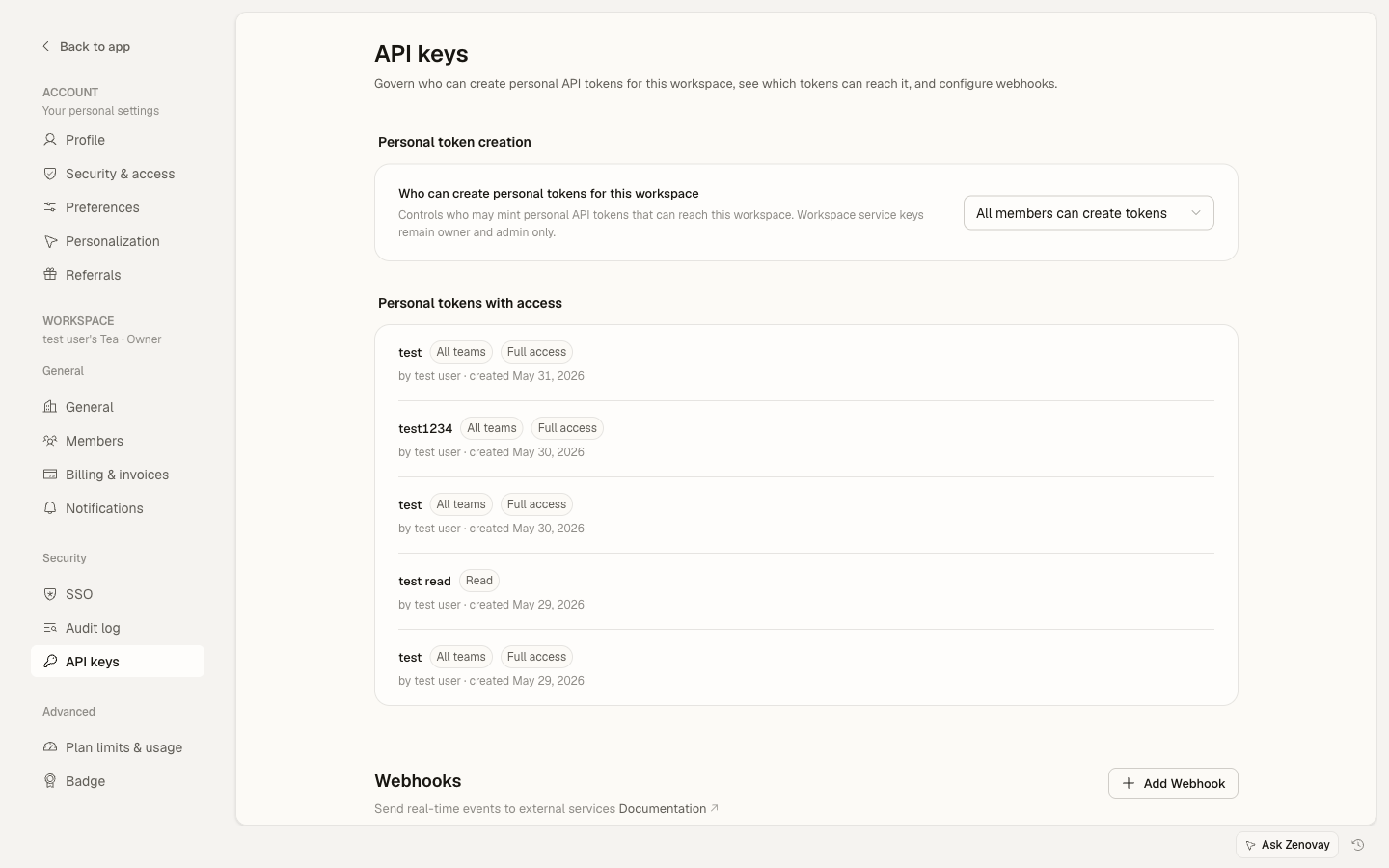
n8n should now show the captured event in the Webhook node. Click Use captured event to use it as the sample payload for the rest of the workflow.
3. Switch from Test URL to Production URL
n8n distinguishes Test URLs (only fire when you click "Listen") from Production URLs (always live).
- Once your workflow is built and tested, click Activate (top right).
- n8n shows a Production URL — usually identical to Test URL but without
-test(e.g.https://your-n8n-host.com/webhook/zenovay-events). - In Settings → Security → API keys, edit the webhook and replace the Test URL with the Production URL.
- Send another test event to confirm it arrives.
4. Verify Zenovay's signature in n8n
For production reliability, verify the HMAC-SHA256 signature so only genuine Zenovay events trigger your flow.
Add a Function node right after the Webhook node:
const crypto = require('crypto');

const signature = $input.item.json.headers['x-zenovay-signature'] || '';
const provided = signature.replace(/^sha256=/, '');
const rawBody = JSON.stringify($input.item.json.body);
const expected = crypto.createHmac('sha256', $env.ZENOVAY_WEBHOOK_SECRET)
  .update(rawBody)
  .digest('hex');

if (provided !== expected) {
  throw new Error('Invalid Zenovay signature');
}

return $input.item;
Set ZENOVAY_WEBHOOK_SECRET as an n8n environment variable (Settings → Variables) using the secret from Settings → Security → API keys — click the eye icon on the webhook card in Zenovay to reveal it.
The signature is computed over the raw request body, not the parsed JSON. n8n stringifies the body for you in $input.item.json.body, but if your n8n version reorders keys you may get false-negative verification. If that happens, set the Webhook node's "Response" mode to "Use response code from previous node" and read the raw body via $input.item.binary.body.data.
5. Common workflow recipes
| Trigger | n8n flow |
|---|---|
goal_completed | Postgres → INSERT into revenue_events |
traffic_spike | Slack node → DM the on-call person |
website_down | GitHub Issues → Create urgent issue + assign labels |
error_spike | Sentry node → Tag release + ping #engineering in Discord |
Troubleshooting
- n8n shows the test event but Production URL doesn't fire: the workflow isn't activated. Click Active toggle (top right) — it must be green.
- HMAC verification fails: confirm you copied the correct webhook secret. The secret is per-webhook, not per-account.
- n8n times out: the Webhook node's default response mode
Immediatelyreturns 200 instantly — Zenovay considers that success. If you setWhen Last Node Finishes, the long flow may exceed Zenovay's 5-second delivery timeout (subsequent retries kick in via the 6-hour cron).